
Safe-zone warnings.
Meta, TikTok, Snapchat, Pinterest and YouTube safe zones appear on each board.
Turn your approved masters into a full multi-size campaign, without leaving Figma.
Your first 30 generations are free. No account, no card, no sign-up.
Flexlio builds each banner from the closest master ratio, adapting the layout for its format. No stretching. No squashing. No rebuilding every size by hand.
Work with up to 30 masters.
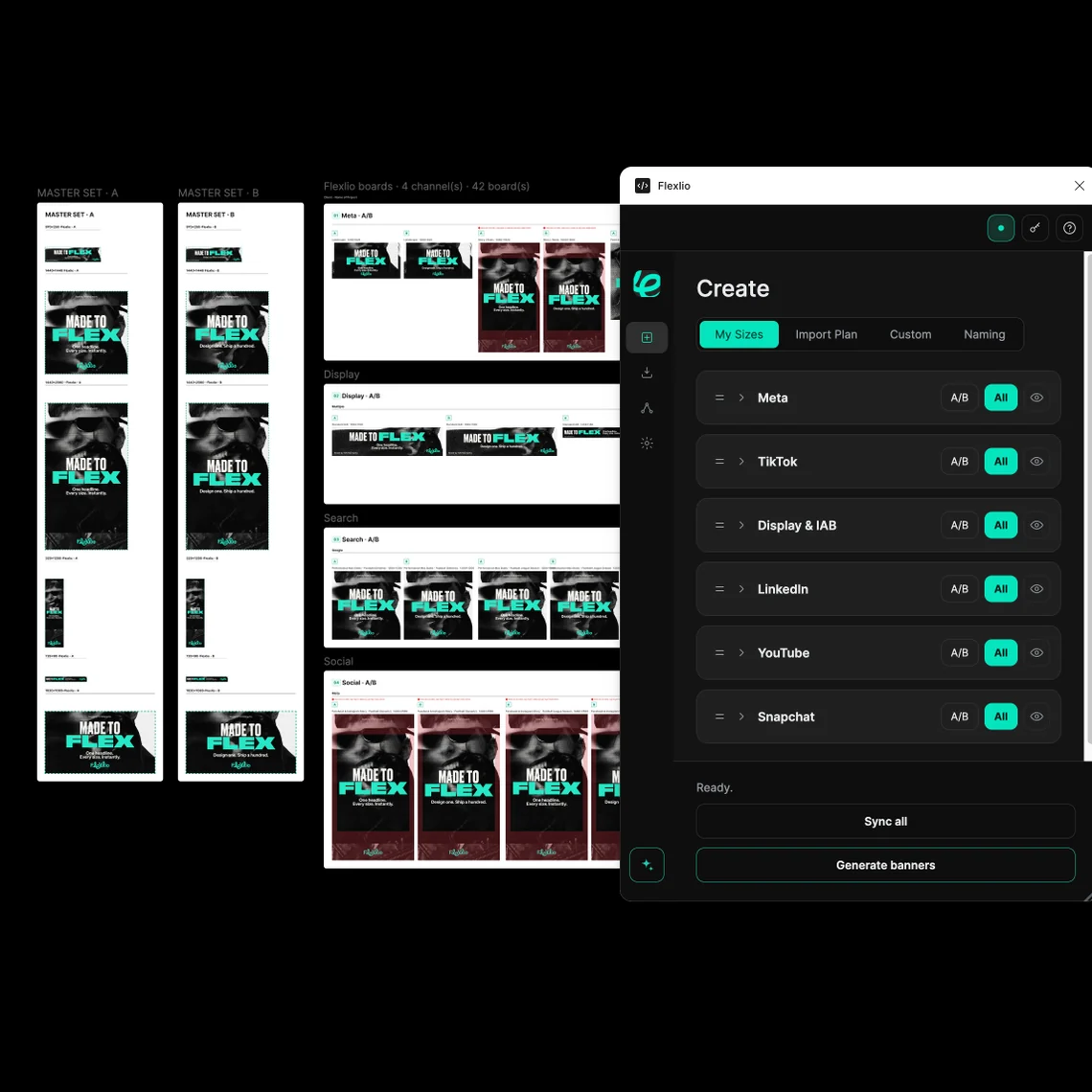
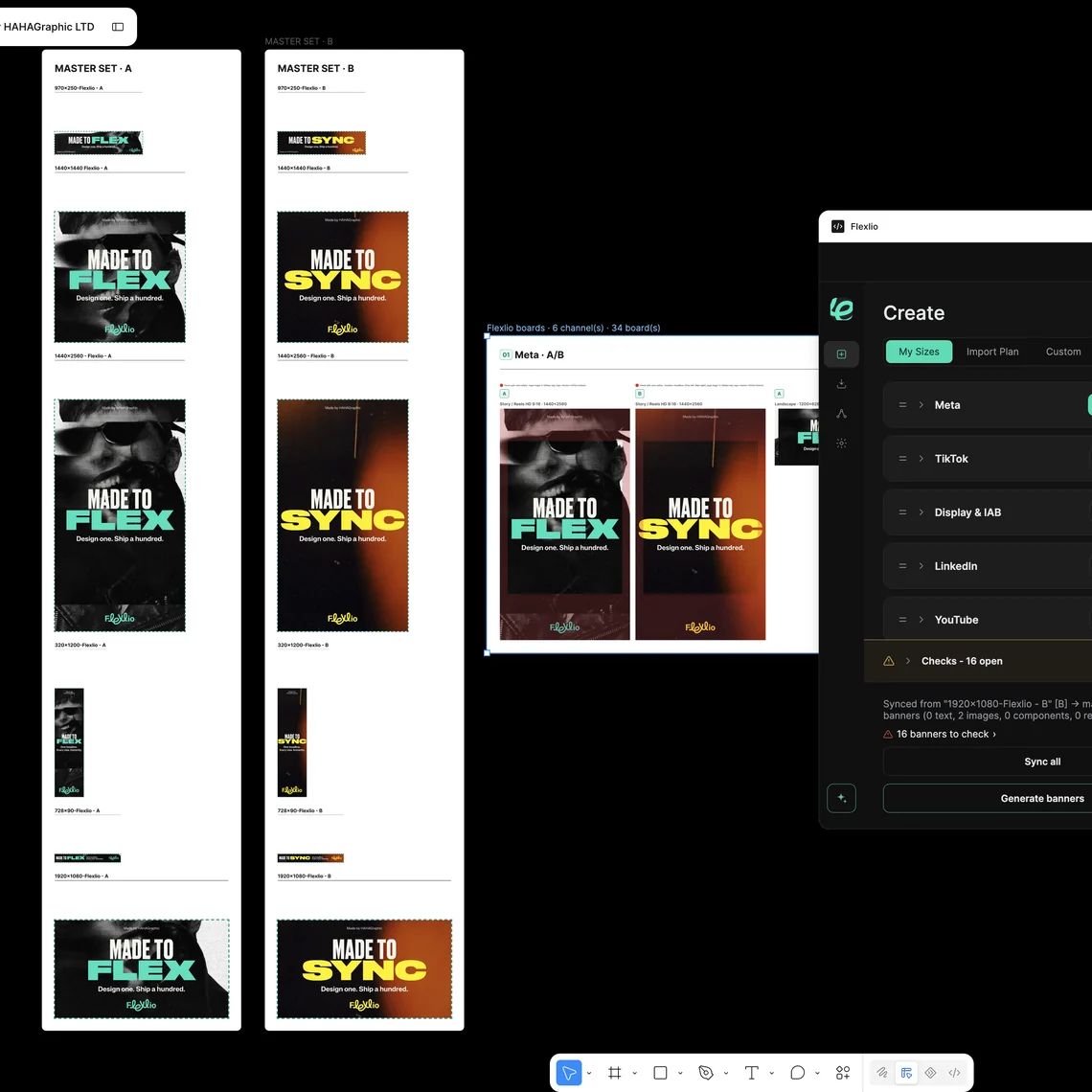
New headline. New price. Different image.
Live Sync carries copy edits through linked masters and banners. Press Sync to apply image changes and other master updates.
Typography, positioning, background colours, shape fills and text colours follow the master. Supported adjustments made on individual boards stay yours.
Start masters with matching copy so an edit in one can reach the others. Component variants follow their own master, a variant you choose on a board stays selected.
Adjust layers, fine-tune the layout and make the final call.
Review each banner before export. Automated checks help you spot issues; they don't replace your eye.
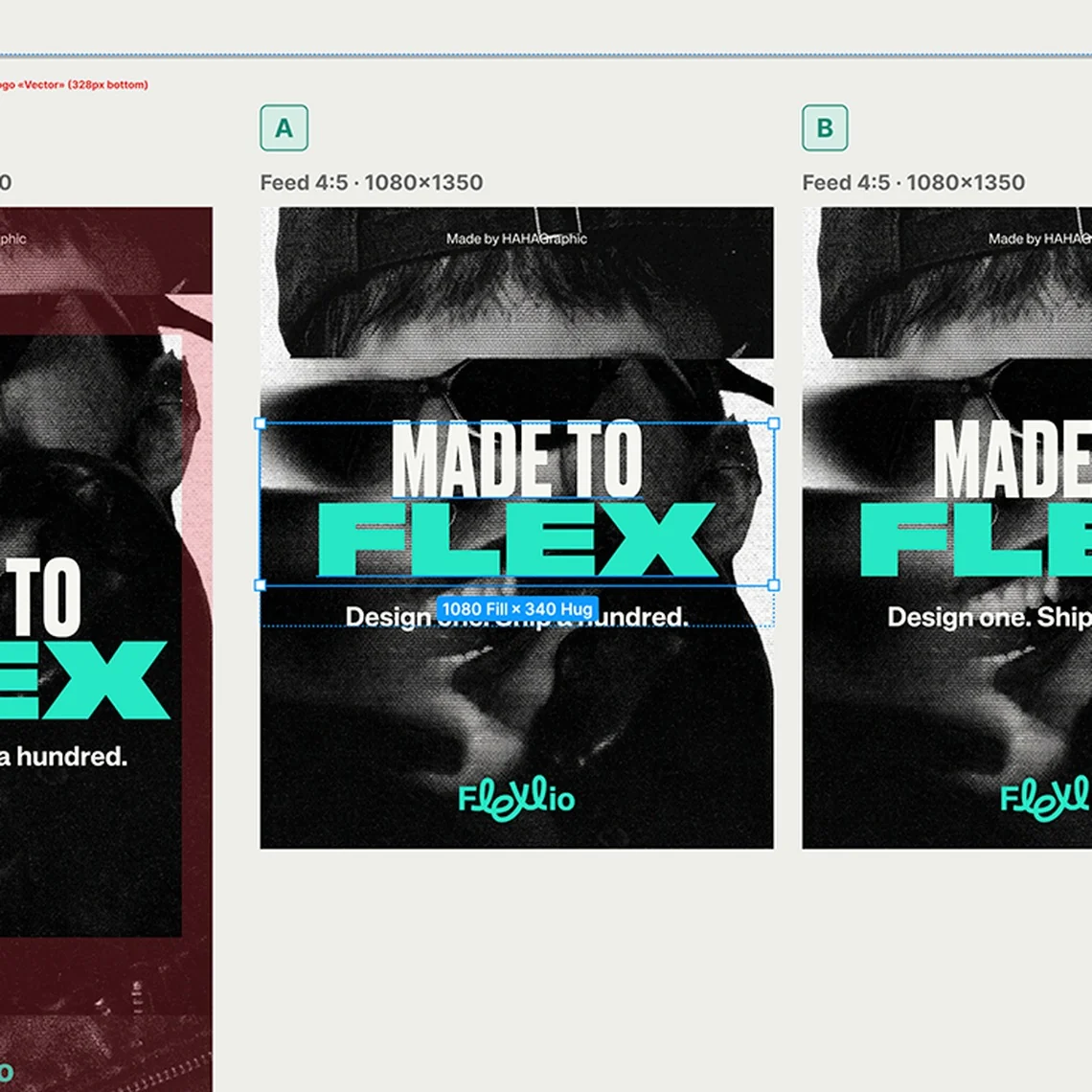
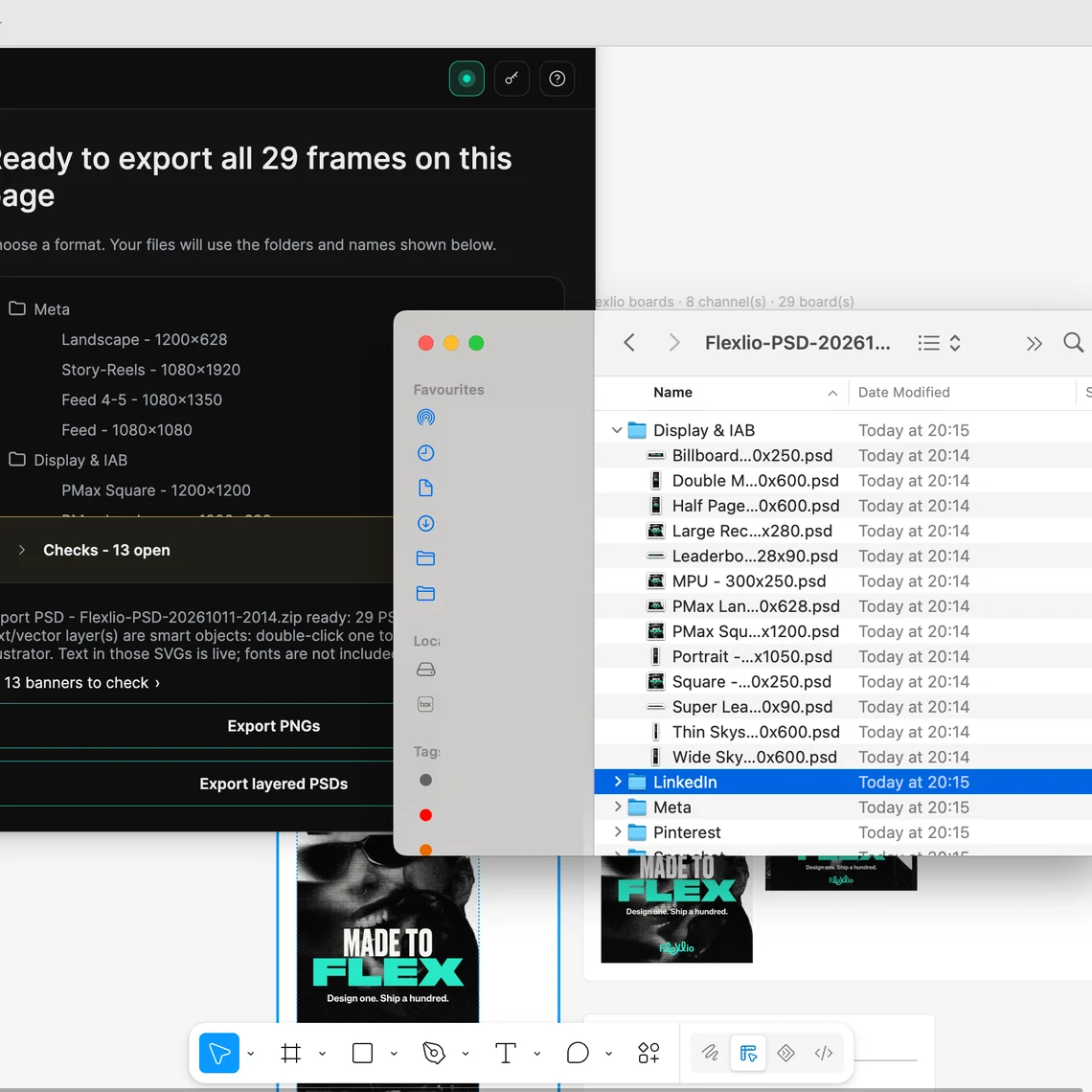
When your banners are checked and ready, export the whole set in one go, into one folder, already named. No opening each frame, no renaming files one by one.
Consistent names make the campaign easier to hand over, upload and archive.
Mass PNG export comes with Pro. Pro Plus adds layered PSD export for work that moves into Photoshop, and custom naming to match your media plan.
Upload your media plan.
Bring in your Excel or CSV file instead of selecting every size individually.
Build your variations.
Generate A/B sets. Each branch follows its own masters, keeping A and B edits separate.
Carousels.
Build carousel ads in Figma. Duplicate your original masters, adapt them into a frame sequence, then generate.
Name your campaign once.
Boards and exports name themselves from your channel, size and plan, plus any tokens you add. Rename a channel or plan and every matching board updates with it.
Safe-zone warnings.
Meta, TikTok, Snapchat, Pinterest and YouTube safe zones appear on each board.

Artwork checks.
Flexlio flags images that stop short of an edge and text below 8px. You decide what to change.

No need to name layers
Flexlio reads your artwork’s structure. If anything is unclear, tell Flexlio what it is in Preflight. It remembers your choice.
No need to name your layers. Flexlio can work out your layout. The six animated setup cards inside Flexlio cover how to set up your masters using auto layout, centred copy, anchors, grouped shapes and text, components and identifying unfamiliar layers.
Reopen them through Settings → Master setup guide.
Watch our YouTube channel for helpful tips, walkthroughs and updates.
Text
1.
Put every piece of text inside an Auto Layout frame with padding, so the gaps around it stay the same at any size.
If a shape sits behind your text, group them so they move as one.
Centre copy with auto layout
2.
Centre copy with Auto Layout
Put centred text inside a full-width Auto Layout frame, so it stays centred as the copy changes.
Start with the same copy across your masters, so Live Sync can carry edits between them.
Anchor
3.
Anchor each element to the side of the page it should stay attached to.
Layered image
4.
Group everything that makes up an image - layers, masks, cutouts - or they’ll scatter when resized.
Component
5.
If you’ll use it more than once, make it a component - logos, prices, CTAs, flashes - so it stays in proportion and updates everywhere at once.
Team work
6.
If Flexlio is unsure, tell it what the element is. Made a mistake? Reset the icons: Settings → Ask again.
Flexlio is a purely local plugin. Its only network use is an optional licence-key check. No design data is uploaded, stored, or sent anywhere. Privacy by architectural design.
I wanted more time to design. So I built Flexlio.
I’m Nicki, a designer and art director. After nearly 20 years in advertising, I’ve lost count of the hours spent rebuilding the same campaign in different sizes.
I built Flexlio to make campaign rollouts easier, so we can spend more time on the creative we love.

Nicki Kythreotis
Founder
Designers
Spend less time on production, more time in the flow of creative problem solving.
Heads of Design
Grow your output without growing your headcount. Standardise your production workflow. Build a library of battle-tested masters that anyone on the team can scale.
Creative Directors
Review the whole campaign together, with considered layouts across every format. Keep quality high and take last-minute changes in your stride.
Agency MDs + Marketing Directors
More campaigns out the door. Less production time eating into margin.
For any designer. No key, no account.
See it build your real campaign.
For freelancers and small teams.
Every size, no limits.
For agencies and production teams.
Mass PSD export.
Let’s talk.
Rolled out across your team.
One licence per person. Up to 15 users per checkout; for larger teams, talk to us. Keys are emailed within minutes of purchase.
Prices shown in GBP; you’ll be charged in your local currency where available, converted by Paddle at the current exchange rate.
Prices and plans may change. If you subscribe, we’ll give you at least 30 days’ notice before a price change, and it applies from your next renewal.
One licence per person. Up to 15 users per checkout; contact us for larger teams. Pro and Pro Plus keys are emailed within minutes; Enterprise keys are issued directly by us. Monthly subscription. Cancel any time. A 30-day refund guarantee applies to the first payment. Prices shown in GBP include VAT where applicable; Paddle handles local-currency conversion where available.
* Coming soon. Not available yet, and not part of any plan until it is released. We don’t give dates; we announce each one when it goes live.
Subject: Approval for Flexlio (£[total]/month) – production tool
Hi [name],
I’d like approval to purchase Flexlio, a Figma plugin that generates full multi-size banner campaigns from a small set of master designs, with live sync and safe-zone checking.
What it replaces: manually resizing and re-checking every banner format by hand. On our last campaign that was roughly [X hours] of production time; Flexlio reduces that to the master designs plus review.
Cost: Pro Plus, £39/seat/month × [seats] seats = £[total]/month. No setup fee, cancel monthly, 30-day money-back guarantee.
Payment: self-serve card checkout via Paddle, who handle VAT invoicing, or direct invoicing with [email protected]
Pricing and details: flexlio.co.uk/pricing
Thanks,
[you]
Most banner tools ask you to leave Figma. Flexlio doesn’t.
Generating stops until you choose a plan. Sync and editing of the banners you’ve already made keep working, and they stay yours. You can upgrade to Pro or Pro Plus straight away.
Only pressing Generate uses up your free generations, once for each size it creates. If you need to update copy or an image afterwards, use Sync instead. Sync pushes the change to the sizes you already made without creating new ones, so it doesn’t use up any more of your free generations. You only need Generate again if you’re adding new sizes to the campaign.
Yes. They’re ordinary Figma frames and they stay yours. Flexlio doesn’t lock or remove anything you’ve already generated.
You can use up to 30 masters. Flexlio builds each banner from the closest master ratio, so more masters means more layouts tuned to their format.
Free includes 30 generations with no account or card. Pro is £20 per user per month and Pro Plus is £39 per user per month, billed monthly. Prices are in GBP and include VAT where applicable. Enterprise is priced on request.
Meta, TikTok, Google Ads, Snapchat, LinkedIn, YouTube, Pinterest and IAB standard display sizes, with safe-zone checks for Meta, TikTok, Snapchat, Pinterest and YouTube. You can add custom sizes with Pro.
No. Flexlio doesn’t read, transmit or store the contents of your Figma files. Design data never leaves Figma.
No. Flexlio runs entirely inside Figma. Design data is never read, transmitted or stored by Flexlio.
Your creative work stays in Figma: Flexlio doesn’t store your designs, copy or files anywhere else. Sizes, custom presets and settings save on your own device, in your install of Figma. If you use a licence key, our licensing server also holds the key, its plan and status, and a random installation ID for each device it is used on, so we can apply the device limit.
No. Nothing you generate is stored by us. Even a CSV media plan you import isn’t kept, only the size list it produces is saved locally, so you don’t have to re-import it next time.
No. There’s no shared or cloud storage for design content at all, so there’s nothing to access between customers.
Pro and Pro Plus plans are sold through Paddle.com Market Ltd, our merchant of record. Paddle handles checkout, payment processing, tax and invoicing. Enterprise plans are invoiced directly by HAHAGraphic Ltd, the company behind Flexlio.
Yearly plans coming soon.
Not a demo, not a watermarked preview. Generate your actual masters, free, and see it build before you spend anything.
Get Flexlio on Figma